Use our guided 6-step wizard, import from LinkedIn, or upload your existing resume. We make starting easy.
2
AI Enhances Everything
AI rewrites bullets, suggests skills, scores against job postings, and tailors your resume for each application.
3
Download & Apply
Export as PDF, Word, HTML, or plain text. Track applications and get follow-up reminders.
1Step 1
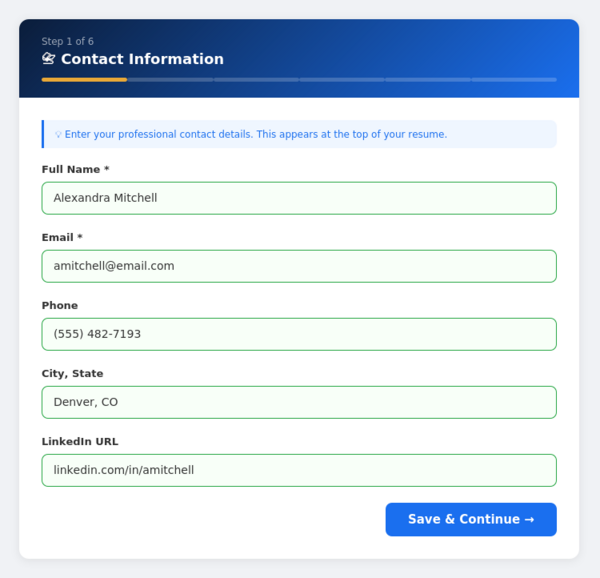
Start With Your Contact Info
Our guided wizard walks you through each section one at a time. Start by entering your name, email, phone, and location. Fields auto-validate and your progress saves automatically every 30 seconds — so you never lose work.
✓ Clean, distraction-free interface
✓ Progress bar shows exactly where you are
✓ Auto-saves every 30 seconds
2Step 2
AI Supercharges Your Bullets
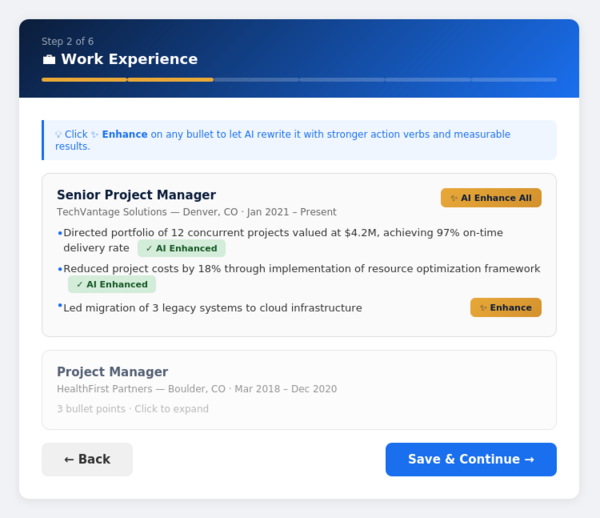
Enter your work experience and click the golden ✨ Enhance button on any bullet point. Our AI instantly rewrites it with stronger action verbs, quantified achievements, and the professional language that recruiters look for.
Before: Managed projects for the company
After: Directed portfolio of 12 concurrent projects valued at $4.2M, achieving 97% on-time delivery rate
SHORTCUT
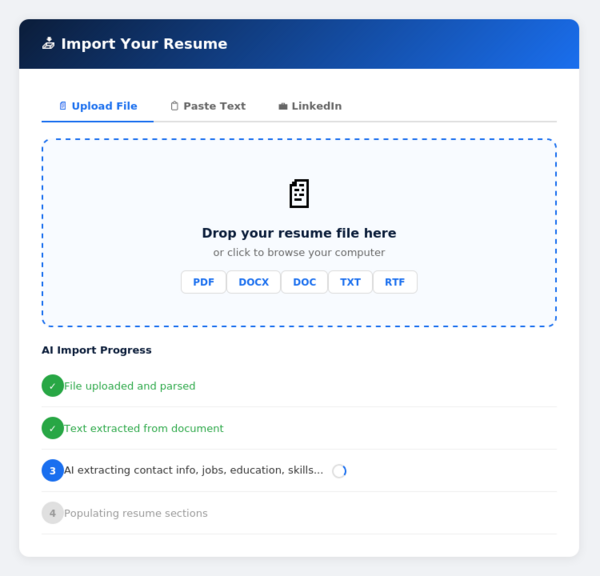
Already Have a Resume? Import It
Don’t start from scratch. Upload your existing resume (PDF, Word, DOC, TXT, or RTF), paste text from your LinkedIn profile, or copy-paste from any document. Our AI extracts everything — contact info, jobs, education, skills — and fills in every section automatically.
📄 PDF📝 DOCX📋 DOC📃 TXT📑 RTF💼 LinkedIn
KEY FEATURE
Score Your Resume Against Any Job
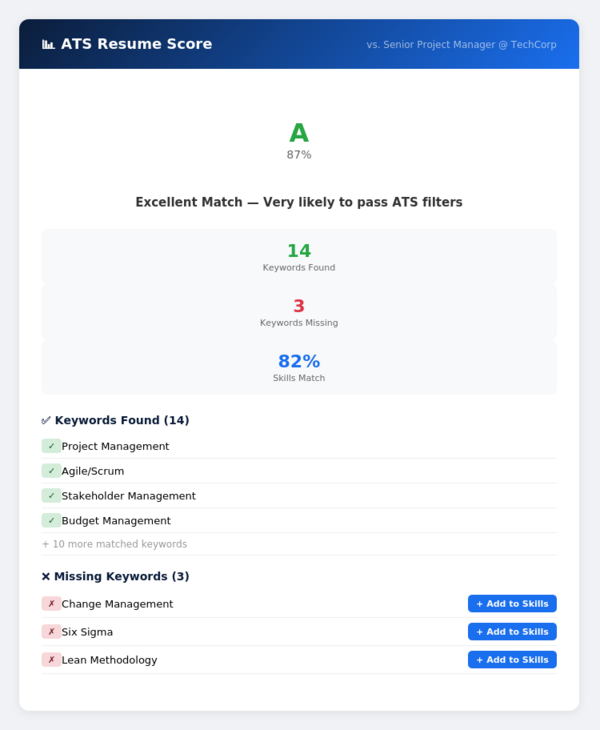
Paste any job posting and get an instant ATS compatibility score. See a letter grade (A+ through D), the exact keywords found and missing, your skills match percentage, and one-click buttons to add missing keywords directly to your resume.
✓ Score from 0-100% with letter grade
✓ See every matched and missing keyword
✓ One-click “Add to Skills” fix buttons
✓ Specific suggestions to improve your score
GAME CHANGER
Tailor Your Resume for Every Job
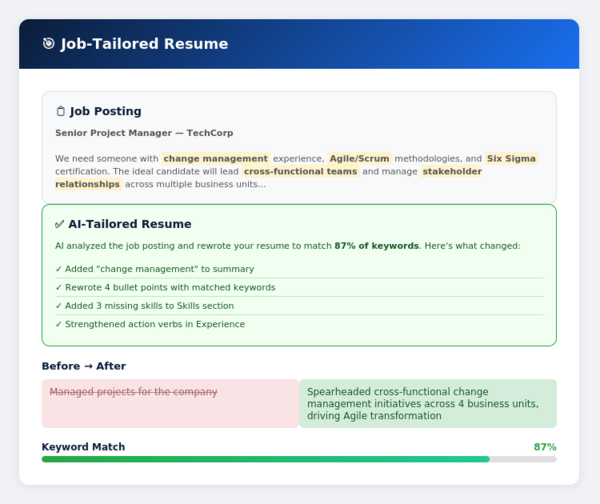
Paste any job posting and our AI rewrites your entire resume — summary, bullet points, and skills section — to match the specific keywords and requirements. See a before-and-after diff of every change, plus your match score go from 40% to 90%+ instantly.
💡 Pro tip: Save tailored versions as separate resume variants. Keep one for PM roles, one for analyst roles, one for government — switch between them with a single click.
3Final Step
Download in Any Format
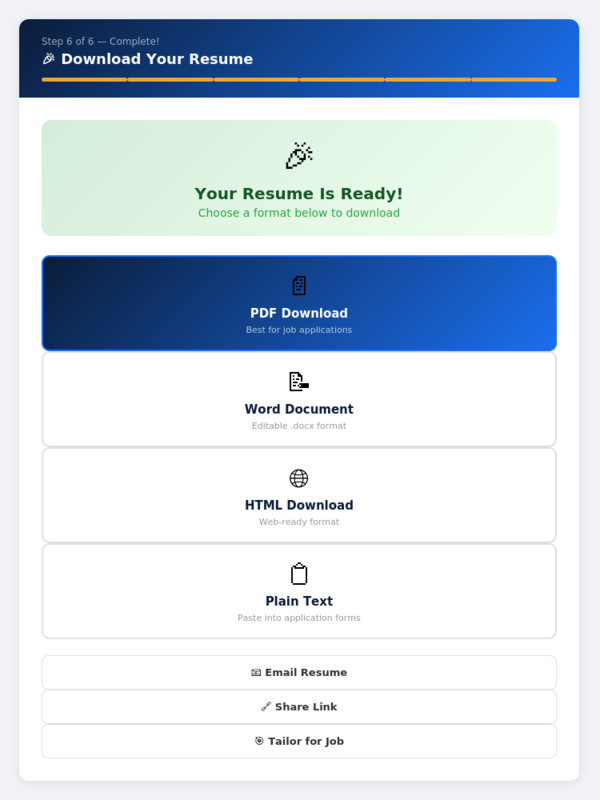
Your polished resume is ready. Download as a beautifully formatted PDF, an editable Word document, a web-ready HTML file, or plain text you can paste into online application forms. You can also email it directly or share it with a unique public link.
📄
PDF
Best for applications
📝
Word
Editable .docx
🌐
HTML
Web-ready
📋
Plain Text
Paste into forms
YOUR HOME BASE
Your Complete Job Search Dashboard
Everything lives in one place. Your personal dashboard gives you quick access to all 15+ AI tools, tracks your applications with follow-up reminders, shows who’s viewing your shared resume, researches salary data, and keeps your entire job search organized.
📥 Resume Import
🎯 Job Tailor
📊 ATS Scorer
🎤 Interview Prep
📄 Cover Letters
✉️ Thank You Letters
📋 Application Tracker
💰 Salary Research
📈 Resume Analytics
🎨 4 Templates
🔄 Resume Versions
🔗 Public Sharing
Ready to Build Your Resume?
Join thousands of job seekers who’ve used AI to land more interviews. It takes less than 5 minutes to get started — and it’s completely free.